

The files available on this site are developed in a secure, sandboxed environment fully isolated from the internet. They are guaranteed to be 100% virus-free. Windows 10 and Bit Defender sometimes report false-positives, but this is indicative of flawed virus detection methods.
You can check the files yourself by following these steps:
1. Right-click on the file you wish to check, and copy the link location.
2. Go to virustotal.com.
3. Click on "URL".
4. Paste the link location.
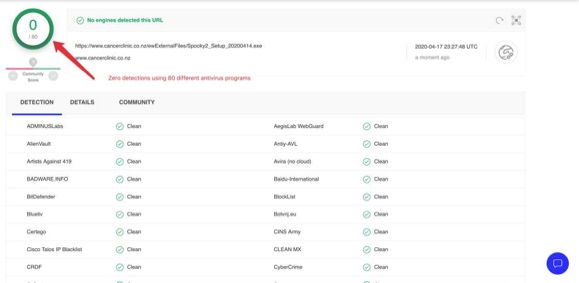
5. After a while, a report will be shown. Typically, over 70 antivirus programs will have scanned the online file.
We recommend disabling your antivirus software during the installation of Spooky2.
Comments
Please sign in to leave a comment.