

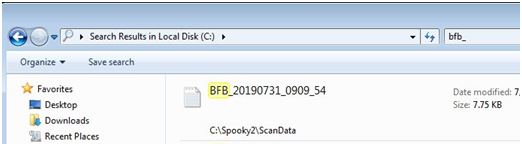
1. You can try a 'Windows Explorer' search. (Not Internet Explorer) see picture. Mine is in “C:\Spooky2\ScanData”.
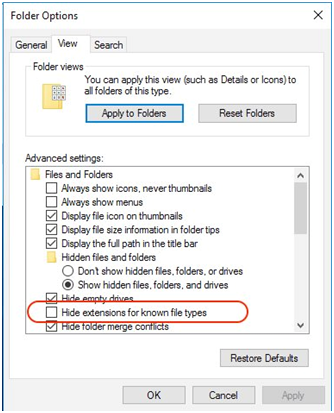
2. The name of the .csv file needs to be BFB_Frequencies.csv. Open your File Explorer, click the View tab, then click Options, then click the View tab in Options, then untick "Hide extensions for known file types", then click the Apply button. This will allow you to see the file extensions in the File Explorer. Now rename your file from BFB_Frequencies to BFB_Frequencies.csv.
For more details, please check the link:
https://www.facebook.com/groups/spooky2/permalink/1393000277528538/
Comments
Please sign in to leave a comment.