

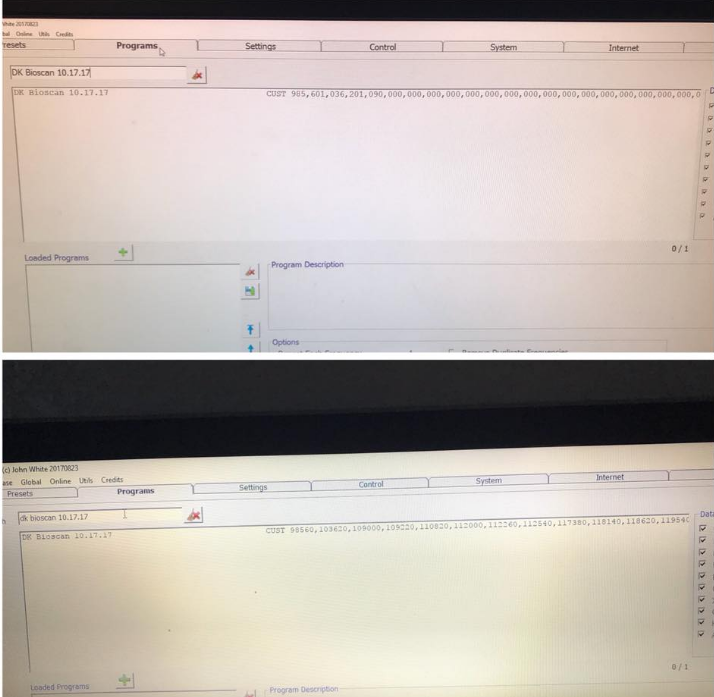
The file looks to have been corrupted after the transfer. Did you by any chance open it using anything other than a plain text editor and resave?
Excel for instance will try to be the default program to open the file, yet it will corrupt it every time.
Suggest you take a fresh copy from the source and replace the file on the destination.
If you were trying to merge information into the existing file on the destination, you would need to use something like Notepad which does not add extended formatting characters into the file.
The CSV extension stands for comma separated values. If you open it up on notepad, you may instantly see where the formatting has gone south.
I can tell that the frequencies have become shifted in your destination copy and the commas that separate the frequencies from each other have become re-interpreted as field separators.
For instance:
985,601,036,201,090,000
from the original:
98560,103620,109000
For more details, please check the link:
https://www.facebook.com/groups/spooky2/permalink/865248466970391/
Comments
Please sign in to leave a comment.