

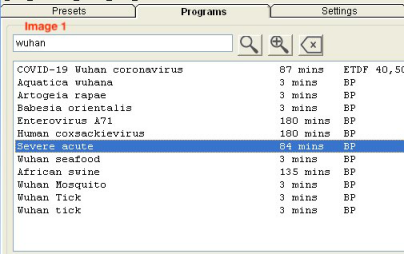
Right now, if you are upgraded to the latest databases from John White's personal website, you will notice there are 28 strains of the Corona virus. You find this by searching for wuhan, then choosing "Severe acute" (Image 1). This post is continued in my next 5 comments.
If you click on "Severe acute", you will see the 28 strains in a box below (Image 2).
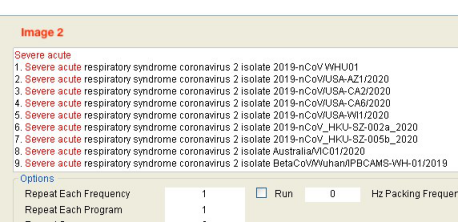
For my example, since I live in the state of California, in the USA, I want to find the strains that come from California. Scrolling through the list, I find the following:
Severe acute respiratory syndrome coronavirus 2 isolate 2019-nCoV/USA-CA6/2020
So I want the 3rd an 4th frequency from this list. So how do I get just those frequencies?
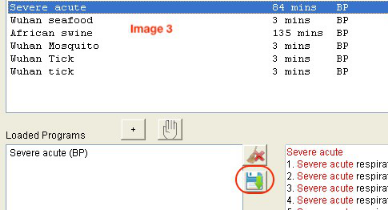
I first double-click "Severe acute" in the "Program Pane", which brings it down to the "Loaded Programs" list box. Then I click on the Save (floppy disk icon) icon next to the "Loaded Programs" box (Image 3).
This brings up a "Create Program" window. From my previous examination, I know I want the 3rd and 4th strains. So in this list I find the 3rd and 4th frequency (Image 4).
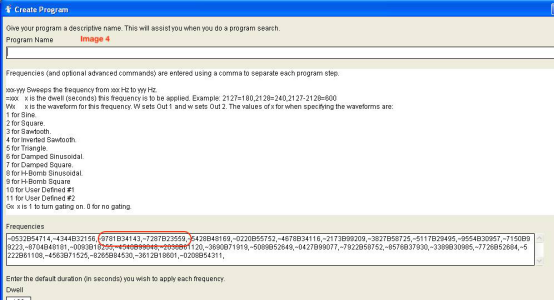
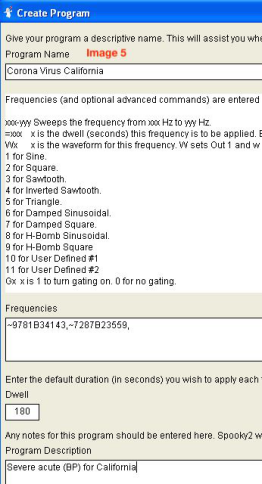
Now I delete all the other frequencies except the 3rd and 4th frequency. I also give this new program a name, add some information to the "Program Description", and click the Save button (floppy disk icon) in the upper right corner of the window (Image 5).
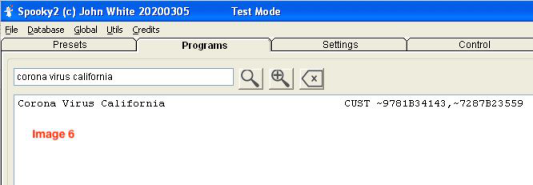
Now in the Programs tab I can search for corona virus california, and I will see my new program (Image 6).
For more details, please check the link:
https://www.facebook.com/groups/spooky2/permalink/1539775652850999/
Comments
Please sign in to leave a comment.